Repository Overview
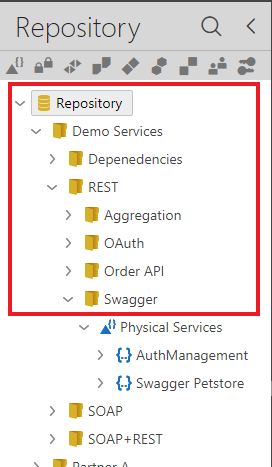
The Sentinet Repository stores the API solutions' assets and management artifacts in a hierarchical folder tree structure that is designed and created by the Sentinet users while they work with the Sentinet product. Each folder represents a generic unit of an API management infrastructure. A Repository Folder may represent an API solution, an API project, an API product, an organization's department, a partner organization or any other logical grouping of API assets. A Sentinet user that is given access to a specific Repository folder, will automatically receive the same level of access to all its subfolders (see the Sentinet Users chapter in the guide for more details). Each folder can store items of different types. The Sentinet Administrative Console automatically organizes them in logical subgroups, such as Physical Services, Virtual Services, Nodes, Access Rules, Service Agreements, Nodes, Behaviors, Policies, Custom Entities, Identities, Users (see the Administrative Console Overview chapter in this guide).
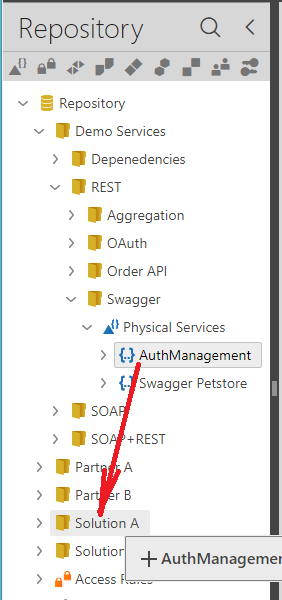
Sentinet Repository items can be re-arranged using the drag-and-drop user interface, so that services, access rules, service agreements, policies and Sentinet users can be moved (relocated) from one folder to another.
Note
Service versions cannot be moved out from a service container item through a drag-and-drop operation; only the whole service container with all its versions can be moved from one folder to another.
See the Repository Export and Import chapter for details on how to move and create copies of specific service versions.