Activity Logs
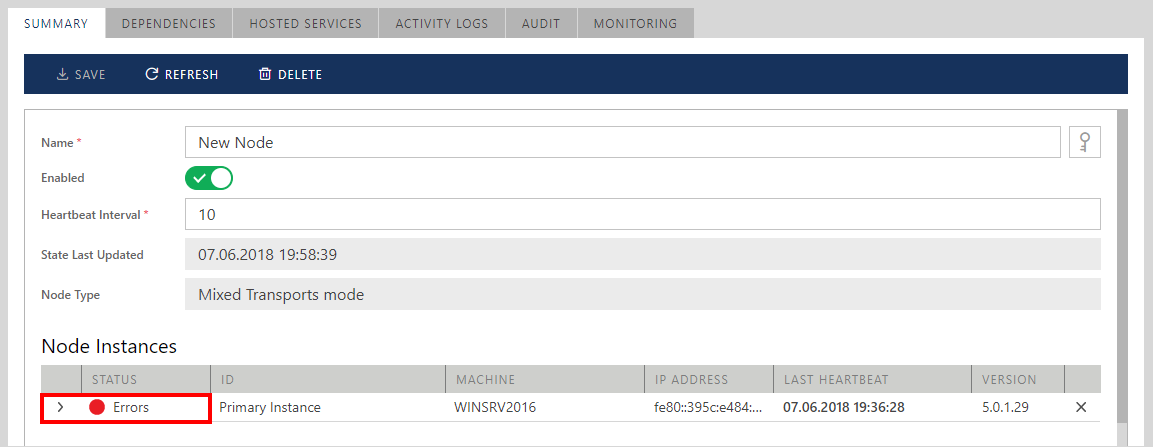
Sentinet Nodes send internal activity records to the Sentinet Repository when the Node configuration changes and hosted virtual services are activated or deactivated. Typically, Sentinet users review Activity Logs when they need to remotely troubleshoot hosted services activation errors, as failure to activate hosted virtual services in some select use cases can be identified only at run-time. A virtual service's configuration might be misconfigured, so that Sentinet has no means to identify this at design-time. In these cases, the Sentinet Node will be listed in the Error state once a virtual service fails to be activated at run-time (see figure below).
Note
A Sentinet Node can be listed in the Error state because of many other reasons (for example, Node has lost connectivity to the Sentinet Repository Web Services Application and Node heartbeats do not reach the Repository).
At the same time, even if a single virtual service fails to be activated, a Node will also be listed in the Error state. Note, that the failed virtual service does not affect any other hosted virtual services.
An example of a virtual service misconfiguration that results in the run-time activation error can be a virtual service configured with Microsoft Azure Service Bus HTTP(s) endpoint and the incompatible service Policy (binding). For example, basicHttpBinding is compatible with HTTP(s) protocol (and thus there will be no design-time validation errors), but it is incompatible with Azure Service Bus HTTP(S) endpoints.
Select the ACTIVITY LOGS tab to review Node activity records.
By default, Sentinet shows all Activity Logs for the last 1 hour. Click Search button to show advanced search options. These options allow to review Activity Logs for any other time periods, to filter Activity Logs by severity, specific Node Instance or by searching for errors related to a specific transaction. Advanced Search options are automatically displayed if default 1-hour search does not return any Activity Logs.
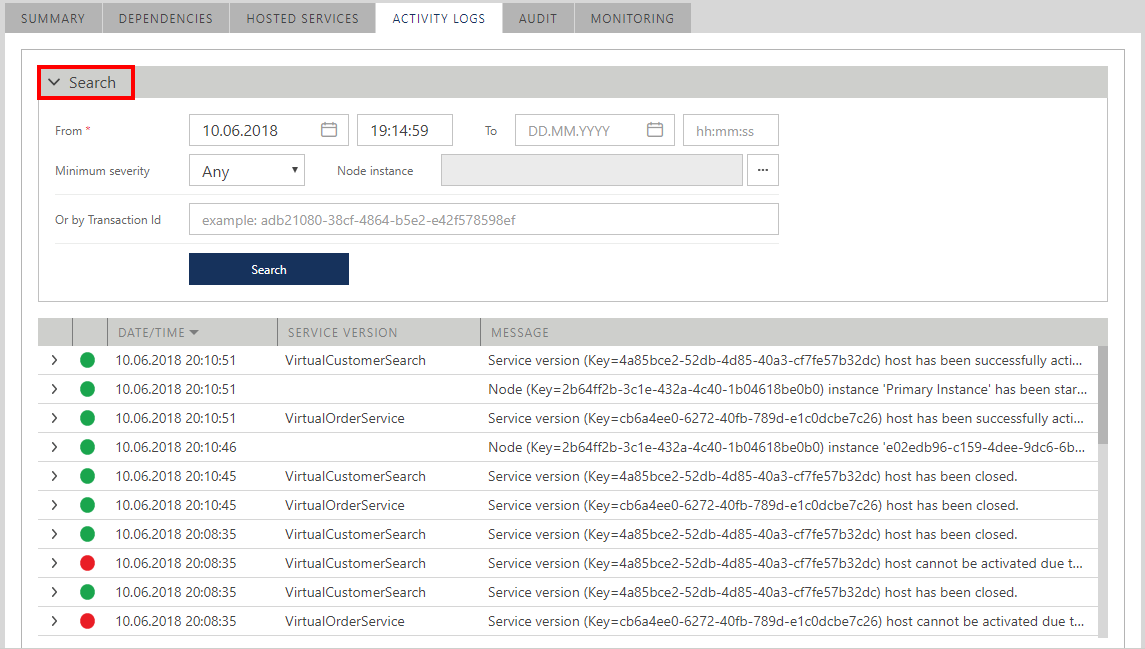
Each Activity Log record can be further expanded to show details of the related record. For example, figure below shows details of a virtual service activation error that allows identification of the reason for service activation failure. Service version Key can be used to search for this service in the Repository to identify specific service that failed to be activated.
